


The app effortlessly executes bulk migration and maintains continuous, real-time synchronization of your customers from Stripe to Mailchimp. This ensures a fast and dependable connection—no manual data entry or custom coding required.
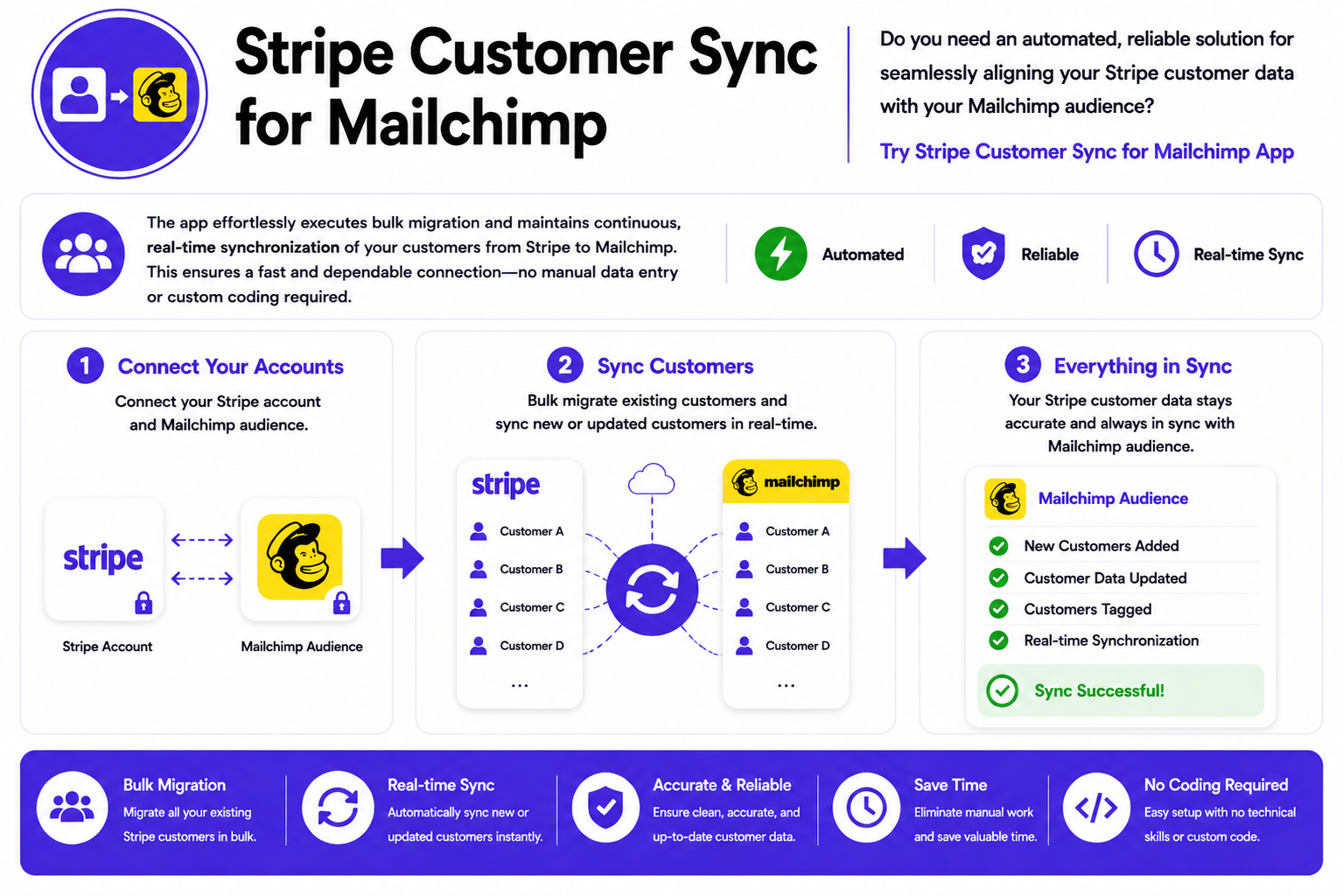
The app effortlessly executes bulk migration and maintains continuous, real-time synchronization of your customers from Stripe to Mailchimp. This ensures a fast and dependable connection—no manual data entry or custom coding required.

We offer a streamlined, three-step workflow designed for customer data migration and auto-synchronization—it is effortless, straightforward, and requires zero technical expertise.
Effortlessly executes bulk migration and maintains continuous, real-time synchronization of your customers from Stripe to Mailchimp. This ensures a fast and dependable connection—no manual data entry or custom coding required.
“This app is exactly what we needed to integrate our Stripe customers with our Mailchimp account. It’s simple to set up, and now we can automatically sync all customer data with just a click.”
“I’m impressed with how quickly and efficiently the Sync Stripe Customers app works. It’s helped us streamline our customer outreach efforts and keep our data organized across platforms.”
“As a growing business, managing customer data was becoming overwhelming. This app has made syncing our Stripe customers to Mailchimp effortless. Highly recommend!”
Find answers to common questions about our services, features, and processes. We’ve compiled helpful information to guide you through every step.
The app automatically migrates your existing Stripe customers into your Mailchimp audience and keeps new customers continuously synced in real time. It transfers customer details, including names, emails, phone numbers, and addresses — with no CSV uploads or manual work.
Yes. Any new customer created in Stripe is auto-synced to Mailchimp instantly.
The app is free to use.
No. The app is designed specifically to migrate and sync Stripe customers into Mailchimp. Subscriptions, invoices, or products are not synced.
Yes. The app keeps their details exactly as they exist in Stripe — while creating or updating corresponding Mailchimp contacts.
The app includes built-in duplicate prevention. If the email already exists, the customer is updated instead of duplicated — ensuring a clean, organized Mailchimp audience.
No installation needed. You simply authorize Mailchimp through secure OAuth, and the connection is established automatically.
Yes. The app uses encrypted, OAuth-based authentication and never stores sensitive credentials. You can revoke access anytime with a single click.
No. The process is read-only on Stripe. Your Stripe data is never edited or deleted — only read and synced to Mailchimp.
Migration speed depends on the customer count. Most users can migrate thousands of customers within minutes, and real-time progress is displayed inside the dashboard.
The app includes an automatic resume. If your browser closes or the internet drops, you can restart and continue exactly where it left off.
If any record contains invalid data (e.g., a missing email), the app displays the corresponding error returned by Mailchimp, allowing you to review those entries.
No. The sync is completely silent — nothing is sent to your customers automatically.
Not at all. No CSVs, no coding, no API setup. Install the app → connect Mailchimp → start migrating and syncing.
If you experience any issues during the migration or syncing process, feel free to report a bug or contact our support team anytime — we’re here to help!
Effortlessly executes bulk migration and maintains continuous, real-time synchronization of your customers from Stripe to Mailchimp. This ensures a fast and dependable connection—no manual data entry or custom coding required.


Copyright © 2024 Stripe "Customer Sync for Mailchimp" app. All Rights Reserved. Powered by ASRRCRM.
